
To add a user to your store or group, they must be invited by an existing user with "HR" permission at the store in which you'd like the new user to reside.
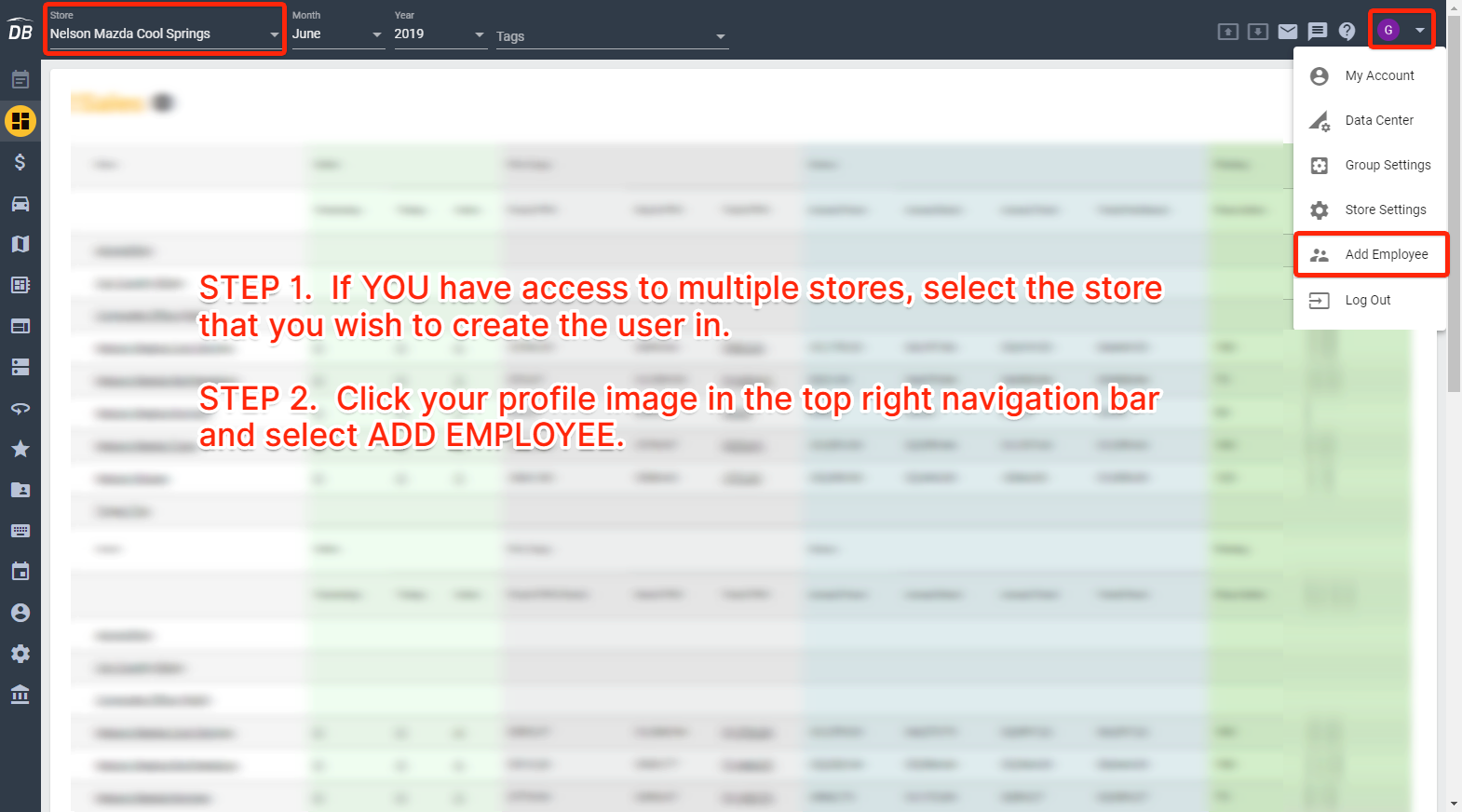
Once you fill in all of the user's information, the correct permissions will be automatically applied based on rules setup by the store.
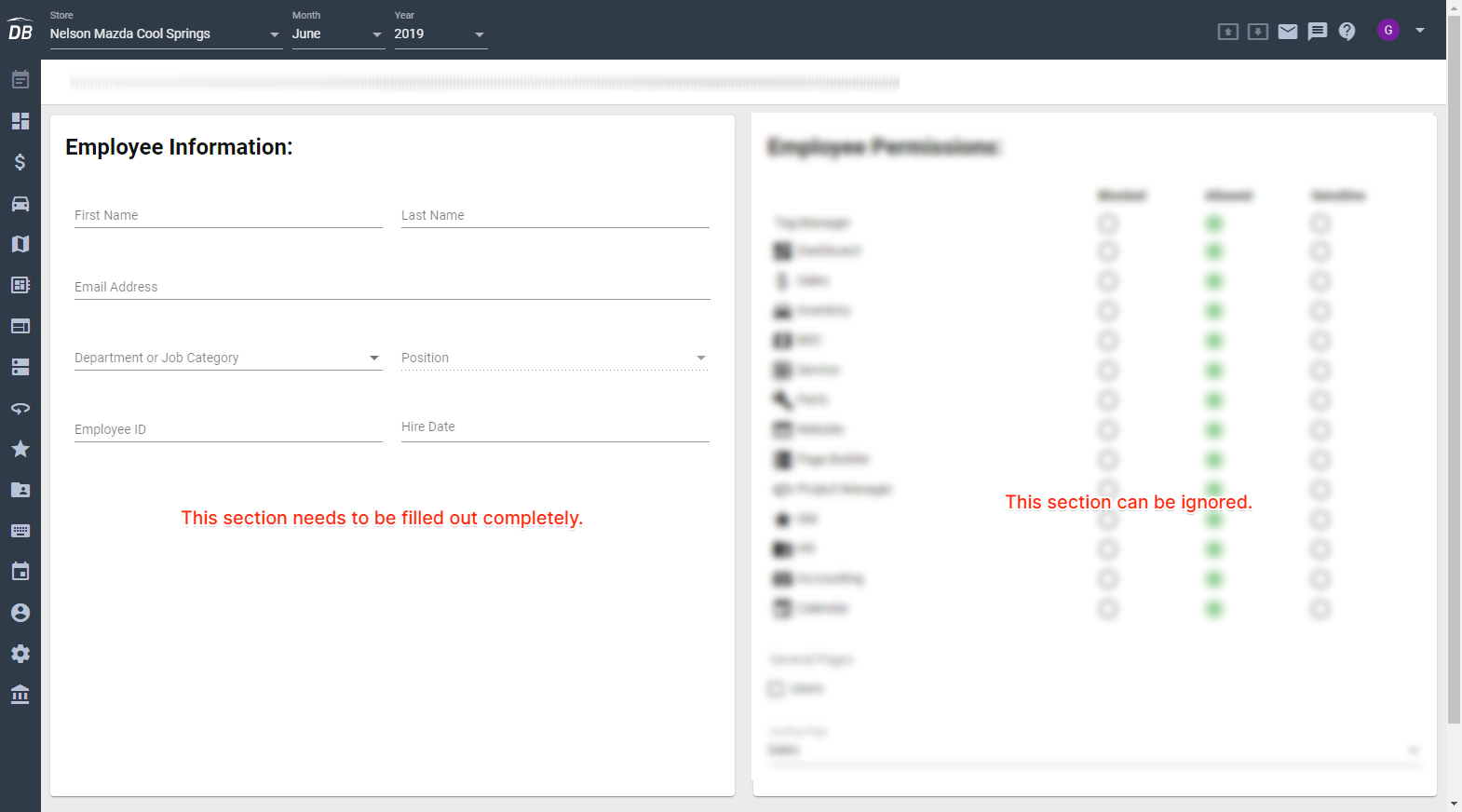
When you click the green Send Invite button, an email will be sent to the user to verify their account and sign in.
Comments
0 comments
Article is closed for comments.